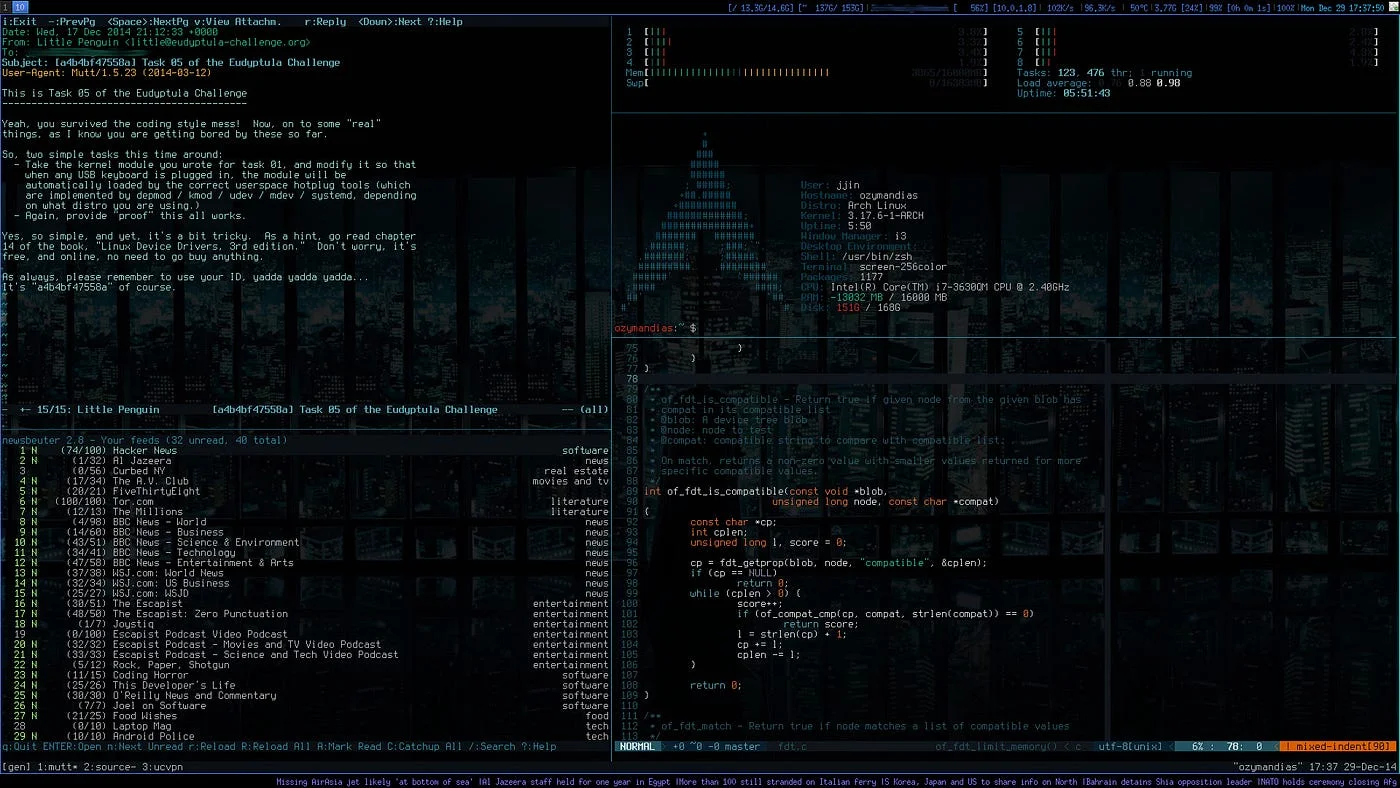

The Linux command line has been largely the same since the 1970s. That's mostly fine, stable, predictable, but some of those tools are genuinely awkward to use. A new generation of CLI tools, mostly written in Rust and Go, has been filling in the gaps: faster search, readable disk usage, navigation that doesn't require typing full paths.
These aren't just cosmetic upgrades. They're faster, they have smarter defaults, and several of them are starting to show up as actual defaults. Ubuntu 26.04 is testing Rust-based replacements for GNU coreutils, and VS Code already uses ripgrep internally for search. The modern-unix repository on GitHub, with over 32,000 stars, has become a go-to reference for anyone looking to modernize their terminal.
Here's a rundown of the most useful replacements, organized by what they replace.
File Viewing
bat replaces cat
Repository: sharkdp/bat
cat dumps file contents to your terminal with no formatting. bat does the same but adds syntax highlighting for over 100 languages, line numbers, Git change annotations in the sidebar, and automatic paging for large files. It pipes cleanly to other tools and works as a drop-in replacement.
# View a file with syntax highlighting
bat config.yaml

# Use as a pager for other commands
man ls | bat -l man
Why it matters: If you read code in the terminal at all, the difference is visible immediately. No configuration needed — it just looks better out of the box.
Directory Listing
eza replaces ls
Repository: eza-community/eza
eza is the community-maintained successor to the now-abandoned exa. It gives you color-coded output, Git status indicators, tree views, and human-readable file sizes without any flags. If you've ever aliased ls to ls -lah --color=auto, eza does all of that by default.
# Long listing with Git status and icons
eza -l --git --icons

# Tree view with depth limit
eza --tree --level=2
There's also lsd (LSDeluxe), which takes a similar approach with a focus on icon support and backward compatibility with ls flags.
Searching File Contents
ripgrep replaces grep
Repository: BurntSushi/ripgrep
ripgrep (invoked as rg) is probably the tool on this list you'll notice most. It searches file contents recursively, respects .gitignore by default, skips binary files, uses smart case sensitivity, and runs 10–100x faster than grep on real codebases. VS Code uses it as its internal search engine, which tells you something.
# Search for a pattern recursively
rg "TODO"

# Search only in Python files
rg "import" --type py

# Show 3 lines of context around matches
rg "error" -C 3
Why it matters: On any codebase with more than a few hundred files, the speed difference is hard to ignore. SIMD instructions and parallel file traversal turn multi-second grep searches into milliseconds.
Finding Files
fd replaces find
Repository: sharkdp/fd
find is powerful but syntactically painful. fd gives you colorized output, smart case sensitivity, .gitignore awareness, and a syntax that doesn't require memorizing flag combinations.
# Find all Python files
fd -e py

# Find directories named "test"
fd -t d test

# Find files modified in the last 24 hours
fd --changed-within 24h
Note for Ubuntu/Debian users: The package installs as
fdfinddue to a naming conflict. Create an alias withalias fd='fdfind'.
Disk Usage
dust replaces du and duf replaces df
Repositories: bootandy/dust · muesli/duf
du output is hard to parse. dust (du + Rust) shows disk usage as a bar chart in your terminal, so it's immediately clear which directories are eating the most space.
For overall disk space, duf replaces df with a color-coded table of all mounted devices, sortable output, and JSON export.
# Show disk usage for current directory
dust

# Overview of all mounted filesystems
duf
For interactive exploration, ncdu gives you a curses-based interface where you can navigate directories, sort by size, and delete files directly. Especially useful over SSH.
Navigation
zoxide replaces cd
Repository: ajeetdsouza/zoxide
zoxide tracks every directory you visit and builds a "frecency" database (frequency + recency). After a short learning period, you can jump to any frequently visited directory with just a partial name.
# Jump to a directory by partial match
z proj        # → ~/projects

# Narrow down with multiple keywords
z proj content  # → ~/projects/pj-002-content

# Interactive selection (requires fzf)
zi
Setup is one line in your shell config: eval "$(zoxide init bash)" (or zsh/fish). Shell startup overhead is a few milliseconds.
Fuzzy Finding
fzf (a category of its own)
Repository: junegunn/fzf
fzf is a general-purpose fuzzy finder that can filter any list: files, command history, Git branches, processes, bookmarks. With over 67,000 GitHub stars, it's one of the most widely used terminal tools around. Key bindings give you Ctrl+R for fuzzy history search, Ctrl+T for file finding, and Alt+C for directory jumping.
Combine it with bat for syntax-highlighted previews and eza for tree-view directory previews.
# Preview files with bat while fuzzy searching
export FZF_CTRL_T_OPTS="--preview 'bat -n --color=always --line-range :500 {}'"
Git Diffs
delta replaces diff
Repository: dandavison/delta
delta adds syntax highlighting, line numbering, side-by-side views, and better merge conflict display to git diff output. Configure it once as Git's default pager and every git diff, git show, and git log -p picks it up automatically.
# Set delta as your Git pager
git config --global core.pager delta
git config --global interactive.diffFilter 'delta --color-only'
For a full terminal UI covering staging, branching, and rebasing, lazygit is faster than typing individual Git commands.
System Monitoring
btop / bottom / glances replace top
Repositories: aristocratos/btop · ClementTsang/bottom · nicolargo/glances
top was first released in 1984, and it shows. btop gives you a color-coded dashboard with CPU, memory, disk, and network in one view. bottom (invoked as btm) is a Rust-based alternative with a similar layout. glances works cross-platform and can serve monitoring data via a web interface or export to external databases.
Process Viewing
procs replaces ps
Repository: dalance/procs
procs is a Rust-based ps replacement with color-coded output, keyword search, tree views, and human-readable formatting. It shows you what you usually want from ps without requiring arcane flag combinations.
Other Notable Tools
Classic | Modern Alternative | What It Does |
|---|---|---|
| sd | Intuitive find-and-replace with simpler regex syntax |
| tldr / cheat | Community-maintained, example-driven command references |
| choose | Human-friendly text column selection |
| jq | A dedicated JSON processor and query language |
| httpie / xh / curlie | User-friendly HTTP clients with readable output |
| gping | Ping with a real-time graph |
| doggo | DNS client with human-readable output |
| hyperfine | Statistical command-line benchmarking |
| broot | Interactive directory tree navigation |
Why Rust?
Nearly all of these tools are written in Rust. Rust gives you memory safety without a garbage collector, compiles to fast native binaries with no runtime dependencies, and makes parallelized, SIMD-accelerated processing — the kind that makes ripgrep so much faster than grep — relatively straightforward to write.
Ubuntu 26.04 is testing uutils, a full Rust reimplementation of GNU coreutils, for potential inclusion as defaults. These tools are moving from "nice-to-have alternatives" to actual defaults.
Getting Started
Install a few tools that address real friction in your workflow. You don't need all of them.
On Ubuntu/Debian:
sudo apt install ripgrep fd-find bat eza fzf btop tldr git-delta
# Install zoxide and dust via cargo or GitHub releases
cargo install zoxide dust
On macOS (Homebrew):
brew install ripgrep fd bat eza fzf zoxide git-delta btop lazygit tldr dustRecommended aliases for ~/.bashrc or ~/.zshrc:
alias ls="eza --color=always --long --git --icons"
alias cat="bat"
alias grep="rg"
alias find="fd"
alias cd="z"
alias top="btop"
One caveat worth keeping in mind: these tools are great for interactive use on your local machine, but if you manage remote servers or write portable shell scripts, stick with the standard utilities. The classics are everywhere; the replacements usually aren't.
The terminal is more usable than it was 40 years ago. These tools are a big part of why.

Comments (2)