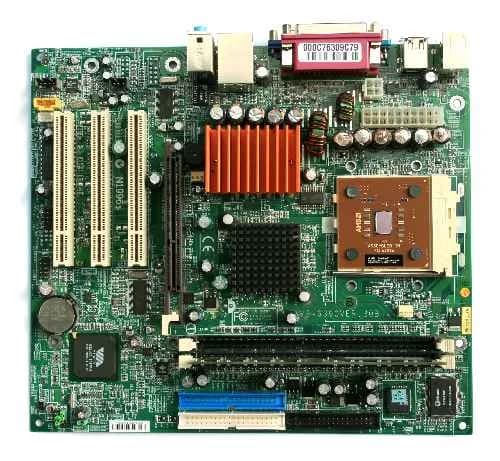

The operating system provides the environment within which programs run. To build such an environment, the system is divided into small modules with well-defined boundaries. Designing a new operating system is a major undertaking. It is essential to determine the system's goals before design begins, as the intended type of system forms the basis for choosing different algorithms and strategies. A system as large and complex as an operating system can only be created by breaking it into smaller parts. Each part must be a well-defined section of the system, with carefully specified inputs, outputs, and functions. Not all systems share the same structure, but modern operating systems generally share the following resource-related components.
Process Management
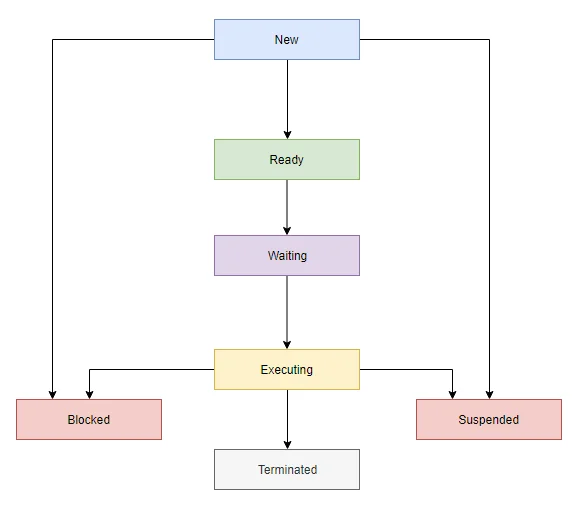
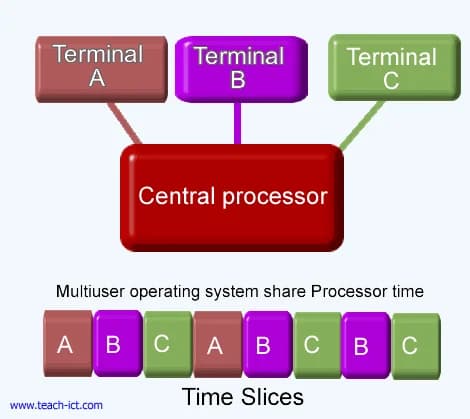
The CPU runs a large number of programs. While its main job is executing user programs, the CPU is also needed for other system activities. These activities are called processes. A process is essentially a program in execution. Typically, a time-shared user program is considered a process, though the concept is actually more general — a process needs certain resources, such as memory, files, I/O devices, etc., to carry out its work. These resources are allocated to the process when it is created. In addition, at creation a process is given various physical and logical resources, along with some initial input data that can be passed to it. For example, a process whose function is to display a file's status on the terminal screen — say, after the F1 key is pressed — receives as input the F1 keypress and the file name, then runs the appropriate program to retrieve the desired information.
The operating system is responsible for the following operations related to managing processes:
Creating and deleting both user and system processes
Suspending and resuming processes
Providing mechanisms for process synchronization
Providing deadlock-handling mechanisms
Memory Management
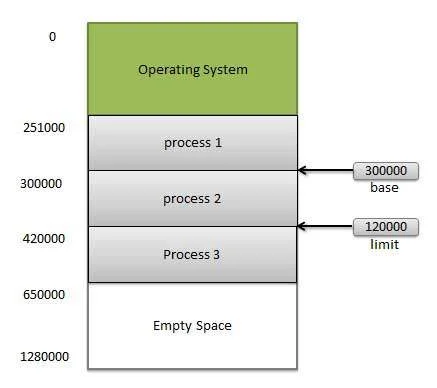
Memory is central to the operation of a modern computer. Memory is a large array of words or bytes, each with its own address. Interaction occurs through a sequence of reads or writes to a specific memory address. The processor fetches data from and stores data into memory. For a program to run, it must be mapped to absolute addresses and loaded into memory. Once activated, the program accesses program instructions and data from memory, and once execution finishes, that memory becomes available again so the next program can be loaded and run. To improve both CPU utilization and the system's response time to users, several processes must be kept in memory simultaneously. Various algorithms exist depending on the specific situation, and the choice of memory management scheme depends on many factors — particularly the system's architecture. Each algorithm requires corresponding hardware support.
The operating system is responsible for the following memory management operations:
Tracking which parts of memory are currently in use, and by whom
Deciding which processes should be loaded into memory when space becomes available
Allocating and deallocating memory space as needed
Secondary Storage Management
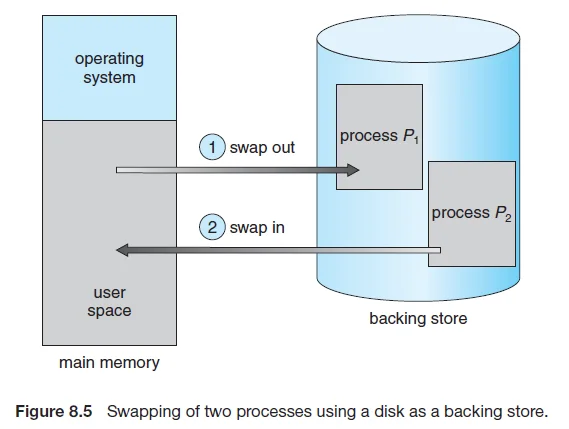
The main purpose of a computer system is to execute programs. These programs, along with the data they access, must reside in main memory during execution. Since main memory is far too small to permanently hold all data and programs, the computer system must provide secondary storage as a backup to main memory. Most modern computer systems use hard drives as the primary online storage medium for both programs and data. Most programs are kept on disk until loaded into memory, and the disk is then used as both the source and destination for their processing. Proper management of disk storage is therefore central to a computer system.
The operating system is responsible for the following disk management operations:
Free-space management
Storage allocation
Disk scheduling
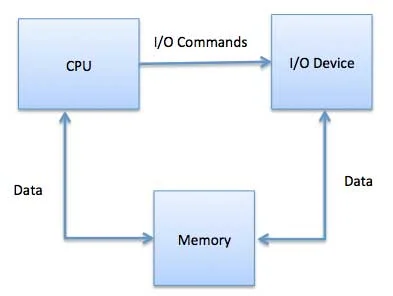
I/O (Input/Output) System
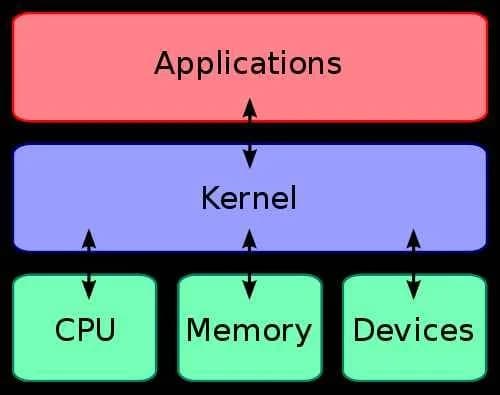
One purpose of an operating system is to hide the specific characteristics of hardware devices from the user. For example, in Unix, the specific characteristics of I/O devices are hidden from most of the operating system by the I/O system itself — only the device driver knows the specific characteristics of a given device. The I/O system consists of:
A buffer-caching system
Device driver source code
Drivers for specific devices
File Management
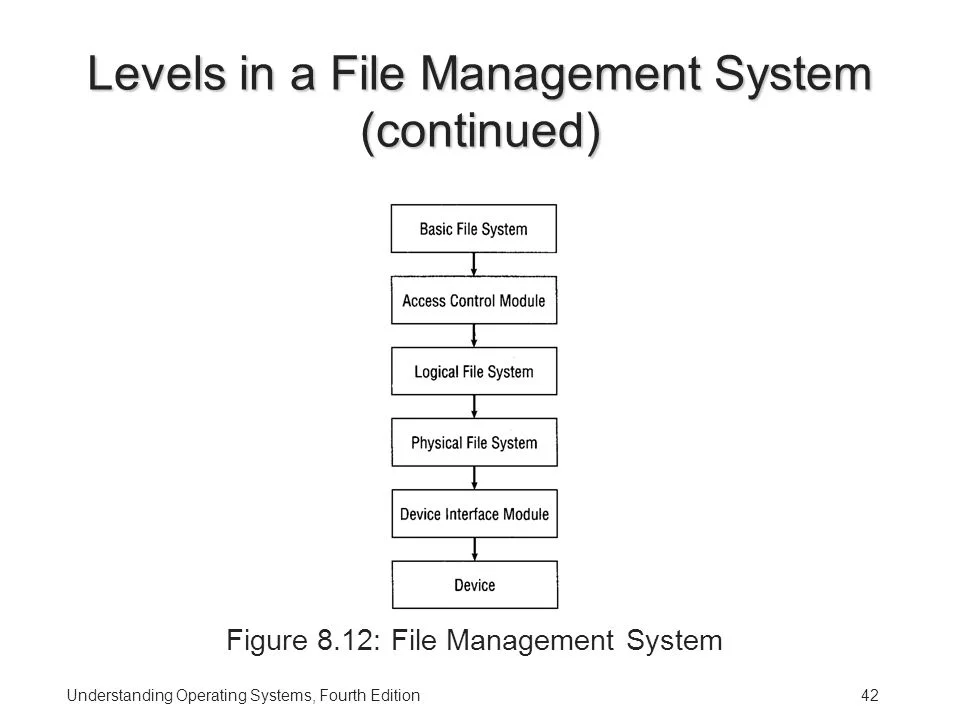
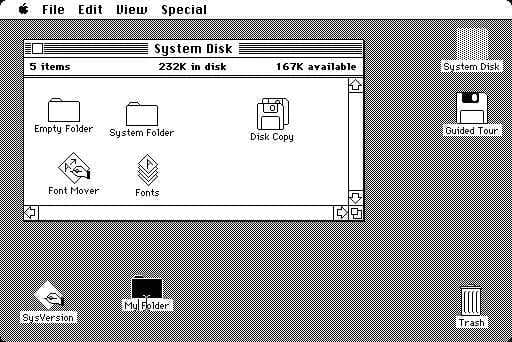
File management is one of the most visible services an operating system provides. Computers can store information in several different physical forms — disk drives, flash memory, and SSDs are the most common. Each of these devices has its own characteristics and physical organization. For ease of use, the operating system provides a uniform logical view of stored information. Based on the physical properties of its storage devices, the operating system defines a logical storage unit: the file. Files are mapped by the operating system onto physical devices.
A file is a collection of related information defined by its creator. Files typically represent programs (in both source and object form) and data. Data files may be numeric, alphabetic, or alphanumeric. Files can be free-form, such as text files, or can be strictly formatted. In general, a file is a sequence of bits, bytes, lines, or records, whose meaning is defined by its creator and users — a very general concept. The operating system implements file-related behavior by managing mass storage devices such as SSDs and disks. Files are also typically organized into folders to make them easier to use. Finally, when multiple users have access to files, it may be desirable to control who can access them and in what way.
The operating system is responsible for the following file management operations:
Creating and deleting files
Creating and deleting folders
Providing primitives for manipulating files and folders
Mapping files onto disk storage
Backing up files onto stable (non-volatile) storage
Protection System
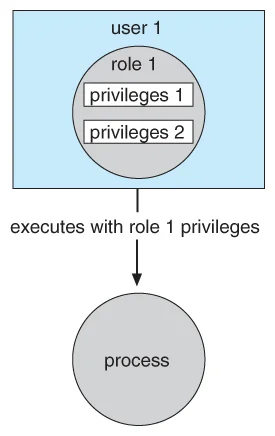
The various processes of an operating system must be protected and kept isolated from one another.
Different mechanisms can be used to ensure that files, memory segments, the processor, and other resources can only be accessed by processes that have received the appropriate permission from the operating system. For example, memory-addressing hardware ensures that a process can only operate within its own address space; the timer ensures that no process can monopolize the CPU without yielding it; and finally, no process is allowed to perform its own direct I/O, in order to protect the integrity of various devices. Protection refers to the mechanism that controls the access of programs, processes, or users to resources defined by the computer system, along with certain means of enforcement. Protection can improve reliability by detecting hidden errors at the interfaces between component subsystems. Early detection of interface errors can often prevent a healthy subsystem from being contaminated by a malfunctioning one. An unprotected resource cannot be defended against exploitation by an unauthorized or incompetent user.
Command Interpreter System (Shell)
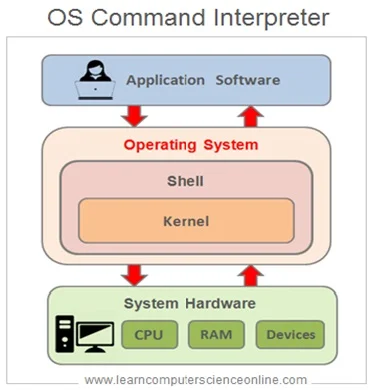
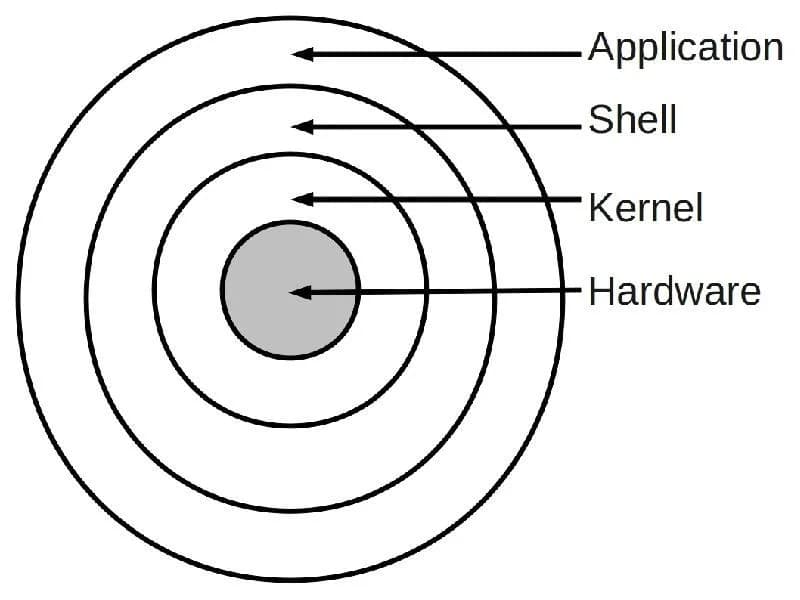
One of the most important components of an operating system is its command interpreter. The command interpreter is the primary interface between the user and the rest of the system. Many commands are issued to the operating system through control statements. When a new job begins in a batch system, or when a user logs into a time-sharing system, a program is automatically launched that reads and interprets commands. This program is variously called: (1) the control-card interpreter, (2) the command-line interpreter, (3) the shell, and so on. Its function is fairly simple — it retrieves the next command statement and executes it. The command statement itself typically relates to process management, I/O, secondary storage, main memory, file system access, protection, and network management.
Source: http://cis2.oc.ctc.edu/oc_apps/Westlund/xbook/xbook.php?unit=04&proc=book
Subscribe to our channels:
Կիբերանվտանգություն հայերենով - https://t.me/cybersecarm
Cyber security in English - https://t.me/cyberseceng
Кибер безопасность на русском - https://t.me/cybersecruss
#level2 #pentest14


Comments (0)